Made for the phone
Every screen fits a phone, from the smallest to the largest, with nothing sliding off the side.

Features › Apps
There’s nothing to install to get started: Motoflo runs in the browser at any screen size, and installs as its own app on a Windows PC or a Mac.
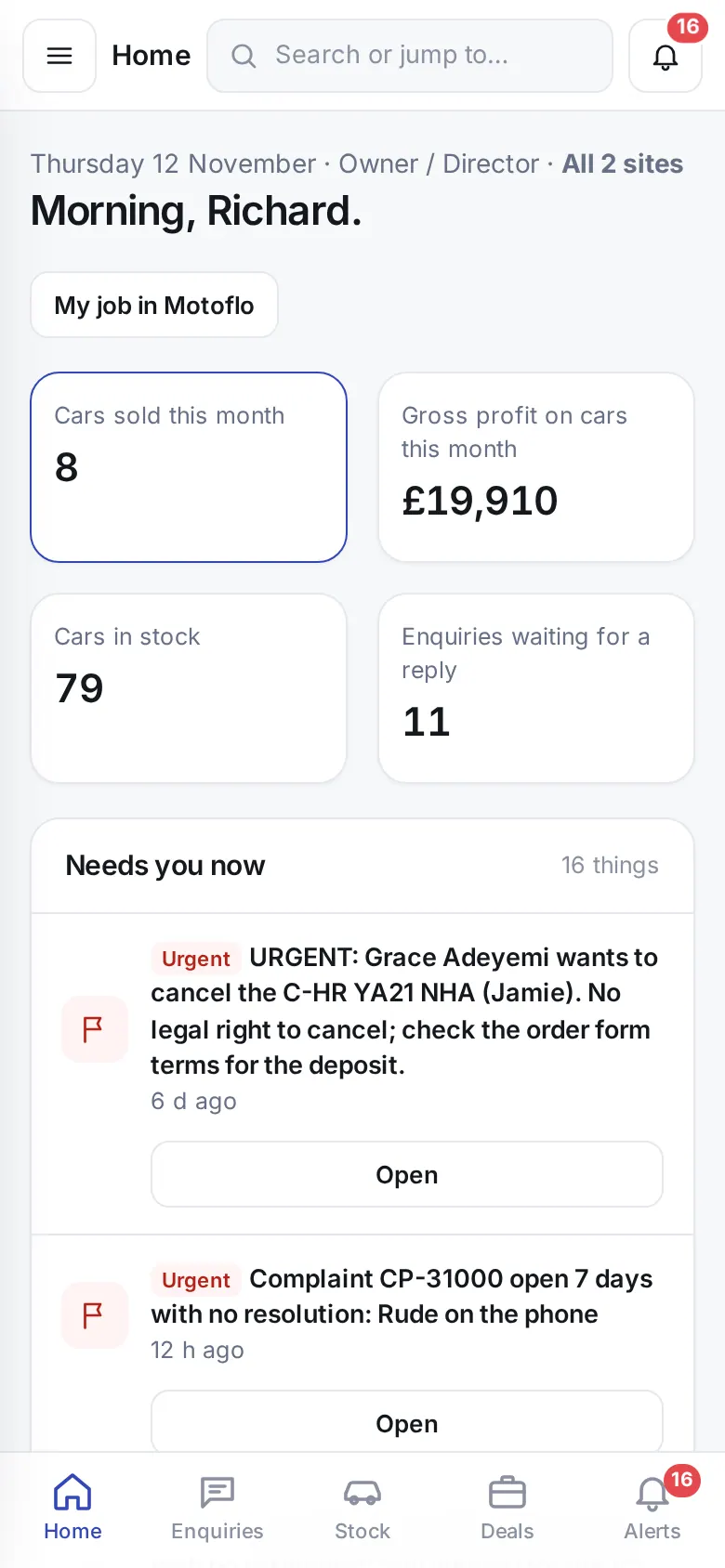
Every screen fits a phone, from the smallest to the largest, with nothing sliding off the side.
Install Motoflo from Chrome or Edge and it opens in its own window, with an offline screen if the connection drops.
New enquiries, approvals and jobs reach you as push alerts in the browser, with a link that opens the right page.
Discounts, holidays and refunds reach the person who can approve them, who decides with one tap.
Alerts stay quiet overnight by default. Only critical ones break through, and only if the person allows it.
A rush of enquiries arrives as one bundled alert, and each one still shows in the app.
Something else? Ask us or book a demo.
Not in the App Store yet. Until it is, Motoflo works in Safari on an iPhone.
Not yet. Motoflo works in Chrome on Android phones.
Open Motoflo in Chrome or Edge and choose Install. It opens in its own window from then on.
No. Every way of using Motoflo is included in your band.
Motoflo in its own window on a Windows PC or a Mac.
Alerts that respect days off and shifts.
Priced by the number of cars in stock, with no fee per user. Free for up to 3 cars.

Start free or book a demo. We reply within 1 working day.